

















<img height="1" width="1" src="https://www.facebook.com/tr?id=731265039186674&amp;ev=PageView &amp;noscript=1">

Permission Slip Waiver FAQs

Is a permission slip a legal document?

Yes, permission slips are legally binding agreements between your school and the student’s parent or legal guardian. However, the language in the document must comply with local laws and regulations to hold up in court, so it’s always best to work with a lawyer when writing one.

Why are permission slips important?

The purpose of a permission slip is to obtain written consent from a parent or guardian for a student to participate in a specific activity. They also serve to: 

  • Help your school or organization manage liability concerns and ensure safety by requiring parents and guardians to acknowledge risks and waive the right to sue for damages.
  • Inform parents and guardians about the specific details and risks of the activity. 
  • Be a record of communication between the school and the parent, fostering trust and transparency.
  • Keep operations running smoothly by streamlining the process of obtaining consent. 

What is a permission slip template?

A permission slip template is a pre-formatted, reusable document used to obtain consent for a minor’s participation in various activities. Permission slip templates are typically used by schools, summer camps, or other youth organizations for many different purposes, such as:

  • School field trips
  • Overnight camping, retreats, or other multi-day trips
  • Participation in sports
  • Swimming or water activities
  • Administering medication
  • Emergency medical treatment authorization
  • Photo and video release
  • Internet and technology usage agreements
  • Participation or viewing of sensitive curriculum and materials
  • After-school club participation 

Can permission slips be signed electronically?

Yes! The E-Sign Act established that electronic signatures are just as valid as wet signatures. This makes signed digital documents just as legally binding as paper forms.

Digital waivers and permission slips also bring various benefits to the table, provided you choose reliable software like Smartwaiver. They’re more secure, convenient, and easier to store and locate. Plus, your school will save money on printing costs and be more sustainable.

What should be included in a permission slip?

Typically, permission slips should include the following key elements:

  • Title and description of the event or activity
  • Date, time, and location of the activity
  • Transportation details (if the activity is not on school property)
  • Cost and deadline for covering any fees (if applicable)
  • Request for emergency contact information and medical information (e.g., allergies or medications)
  • Any special instructions or requirements
  • Parental consent agreement
  • Waiver of liability (if necessary)
  • Signature and date from the parent or guardian

While we still recommend getting help from a lawyer, including these core elements will help you create a descriptive form and obtain the signatures you need.

hat are the different types of permission slips?

Each permission slip will differ depending on how and why it is being used. However, there are several broad categories of permission slips defined by their legal coverage. Use these categories to help structure your waiver:

  • General or blanket form: These forms grant custodial authorization for the minor to attend an off-site event or participate in an activity.
  • Liability waiver: This type of form releases the organization from legal responsibility for potential damages and formally acknowledges that the parent or guardian understands inherent risks.
  • Medical treatment authorization: This form or clause empowers staff to seek emergency medical care or authorize procedures in the parent's absence.
  • Media release: This form or clause allows the organization to use the minor’s likeness for marketing or publication.
  • Technology and acceptable use agreement: These permission slips define rules for digital conduct and limit your organization’s liability for exposure to online content or data privacy. For example, schools that issue laptops to each student may require guardians to sign this form.

Make the Move to Digital Permission Slips

If you are still using paper waivers, it is time to go digital. Smartwaiver makes the transition easy by converting your existing waivers into digital versions at no cost.

Affordable
User Friendly
Hands-Free
Other

Affordable

Smartwaiver offers an affordable way for schools and youth programs to manage permission slips without adding administrative burden or high costs. By eliminating printing, storage, and manual processing, Smartwaiver helps conserve resources so more funding can go toward providing enriching experiences for the kids.

Digital permission slips save time for staff and coordinators while supporting scalable youth programs.

With Smartwaiver, schools and youth groups can:

  • Reduce costs tied to printing and paper storage

  • Spend less time managing paperwork and more time serving kids

  • Avoid expensive hardware or complicated setup

  • Scale the permission slip process easily for large events or seasonal programs

User Friendly

Smartwaiver makes it easy for parents to complete permission slips. Digital forms are clear, simple, and easy to understand, ensuring more parents sign and submit them on time.

Parents can complete forms in advance on their own devices or at your facility using a tablet or QR code.

With Smartwaiver, you deliver:

  • A clear, easy signing experience 

  • Simple navigation that requires little explanation

  • A familiar process across phones, tablets, and kiosks

  • A system staff and coordinators can manage with minimal training

Hands-Free

Smartwaiver supports a hands-free, contactless waiver process that helps schools manage forms efficiently while maintaining a clean, organized environment. By removing shared paperwork, you reduce congestion during busy events.

Permission slips can be sent in advance via email, text, or URLs to landing pages. 

With Smartwaiver, you provide:

  • A contactless signing experience

  • Fewer shared touchpoints 

  • Flexible signing options for parents with multiple children attending your school or enrolled in your programs

  • Quick QR code access

Other

Smartwaiver combines convenience and security, giving schools confidence that permission slips are easy to manage and properly protected.

Convenience

  • Instant access to signed forms from a centralized digital vault

  • No paper files or manual searching

  • Quick retrieval for incidents, audits, or compliance needs

  • Automatically organized records by event or student

Security

  • Secure cloud storage for sensitive student information

  • Reduced risk of lost, altered, or incomplete waiver records

3 Permission Slip Templates

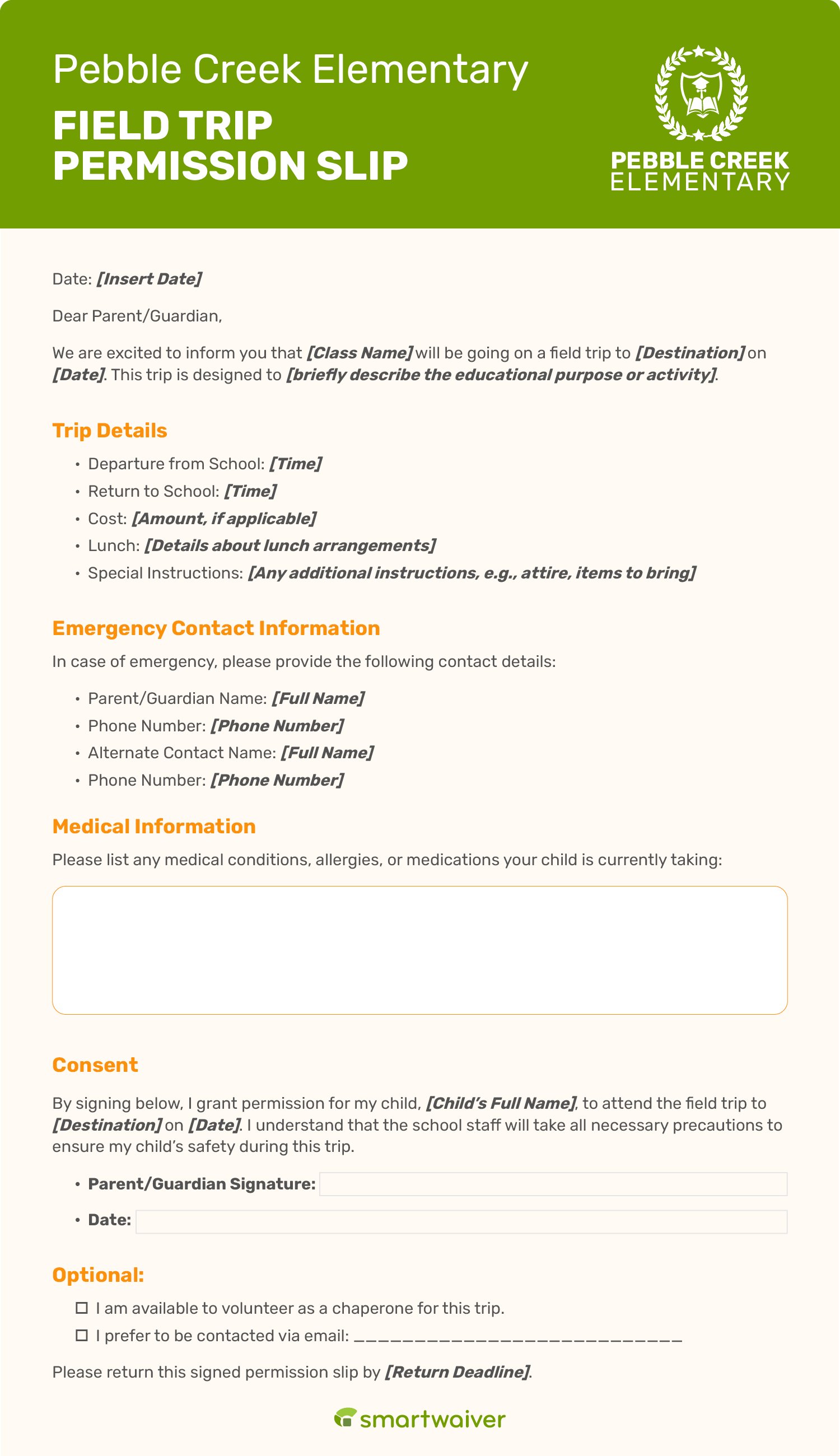
Field Trip Permission Slip Template

A permission slip template for a school field trip.

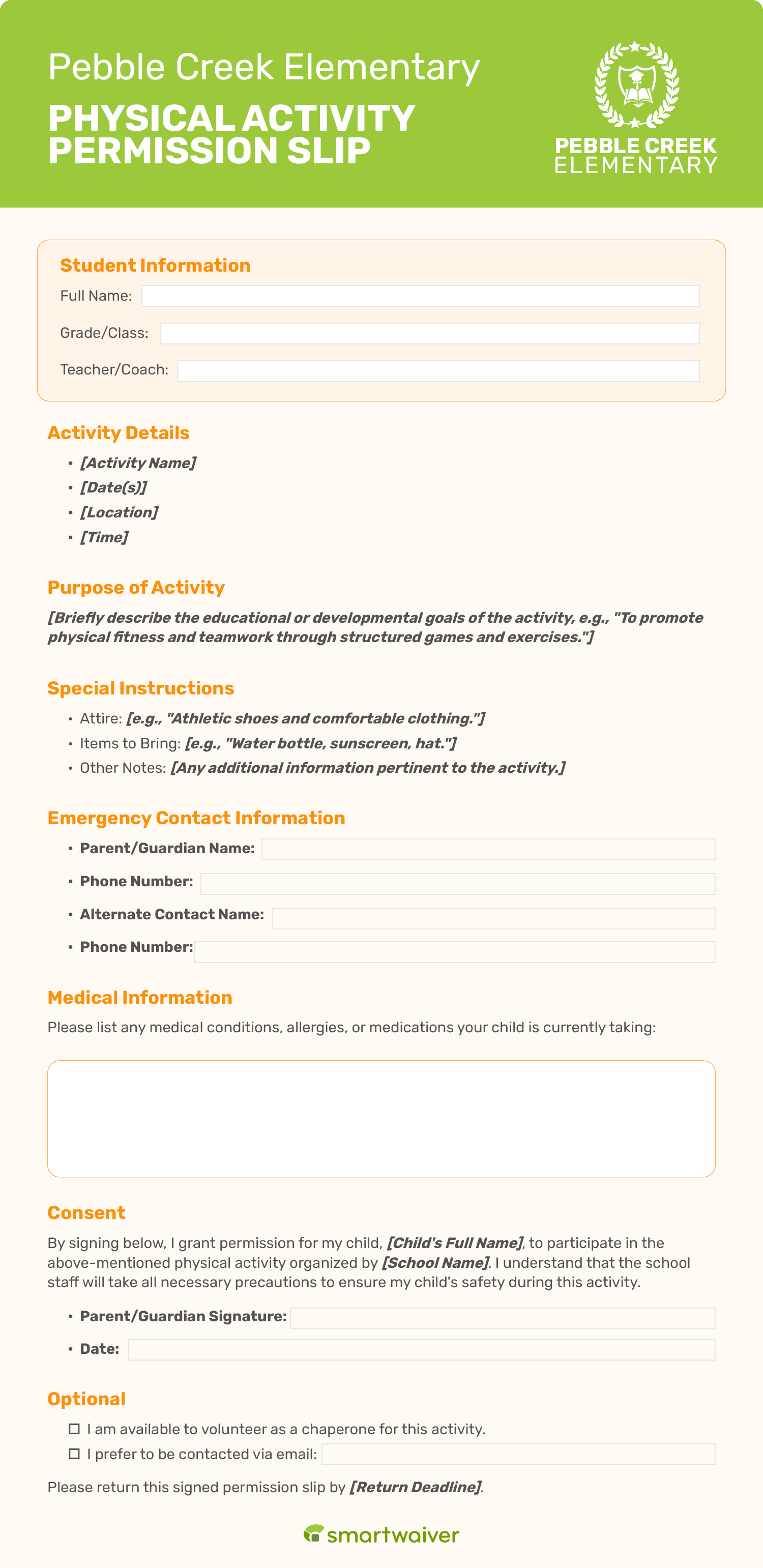
Physical Activity Permission Slip Template

A permission slip template for participating in physical activities.

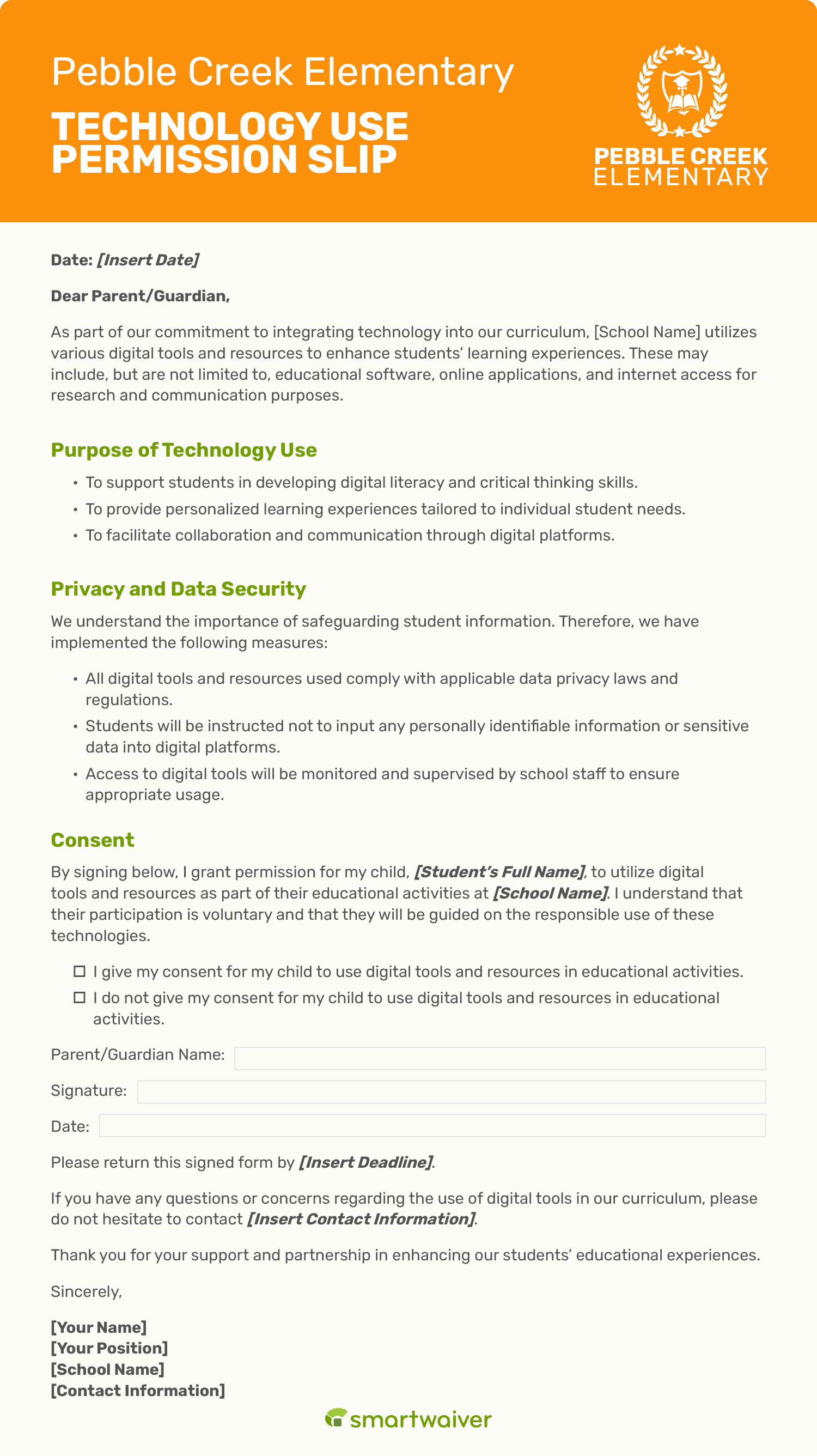
Technology Use Permission Slip Template

A permission slip template for technology use.


seamless-icon
person-1

Connect Easily to Your Everyday Tools.

Connect Smartwaiver with the systems your business already uses to keep operations smooth and consistent. Sync waiver data with reservation platforms, send contacts to your email tools and streamline guest intake while reducing manual entry, errors and unnecessary steps.

With Smartwaiver, you get more than just a signature.

Simplify your workflow, protect your business, and collect data smarter—all in one place with tools that keep your operations efficient and organized.