



















We get it. You open your laptop, search for an online waiver signing tool, and are instantly bombarded with hundreds of “free” options. It’s tempting to just pick one—after all, everyone loves a deal, and cutting out a monthly subscription fee feels like a smart move.
But when you actually try to use it, you realize... Well, it isn’t exactly free. You’ve likely experienced this frustration with “freemium” software before—it says “free,” but the features you actually need are trapped behind a paywall.
While free waiver tools can be enticing, they often do more harm than good by negatively impacting efficiency, security, and your waivers’ ability to hold up in court. In this guide, we’ll explore some of the things your organization should consider before going with a free waiver signing tool. Let’s get started!

Digital Waiver Software FAQ
What is a waiver?
A waiver is a legal document where a participant agrees to give up (or waive) their right or claim to pursue legal action. More specifically, liability waivers require signers to release your organization from liability for losses, damage, or injury caused by ordinary negligence.
Why use a digital waiver?
Digital waivers are exactly like their traditional paper counterparts, but they live online. Because they’re virtual, you’ll collect electronic signatures. These are just as legitimate as wet signatures, but the process is far more convenient for your customers.
Allowing users to sign these agreements ahead of time eliminates pesky check-in lines, reduces administrative overhead, and creates a much smoother registration experience. Plus, securely storing these documents in a searchable cloud database is quicker and more secure than relying on physical file cabinets. If you need to find a specific waiver, you can simply search by customer name or date.
Are online waivers legally binding?
Yes, online waivers are legally binding. Thanks to the E-Sign Act, electronic signatures hold the same legal weight as traditional wet signatures in a court of law. However, keep in mind that the legal language within the document must still be accurate and adhere to your local regulations. Working with a lawyer is always recommended.
If an incident occurs, you must be able to prove that the specific individual voluntarily signed the waiver prior to the event. Dedicated tools like Smartwaiver help establish this proof by capturing photos of participants and issuing certificates of authenticity with unique form IDs for each waiver. This offers an essential level of verifiable security that free solutions rarely offer.
Can I use waiver templates to save time?
Yes and no. While waiver templates are a great starting point to help you format your document, you should never just copy and paste one into your digital form without making any changes. Always involve a lawyer to ensure the waiver uses the proper legal language and confirm that it will hold up against local regulations.
Here’s what these waivers should look like:
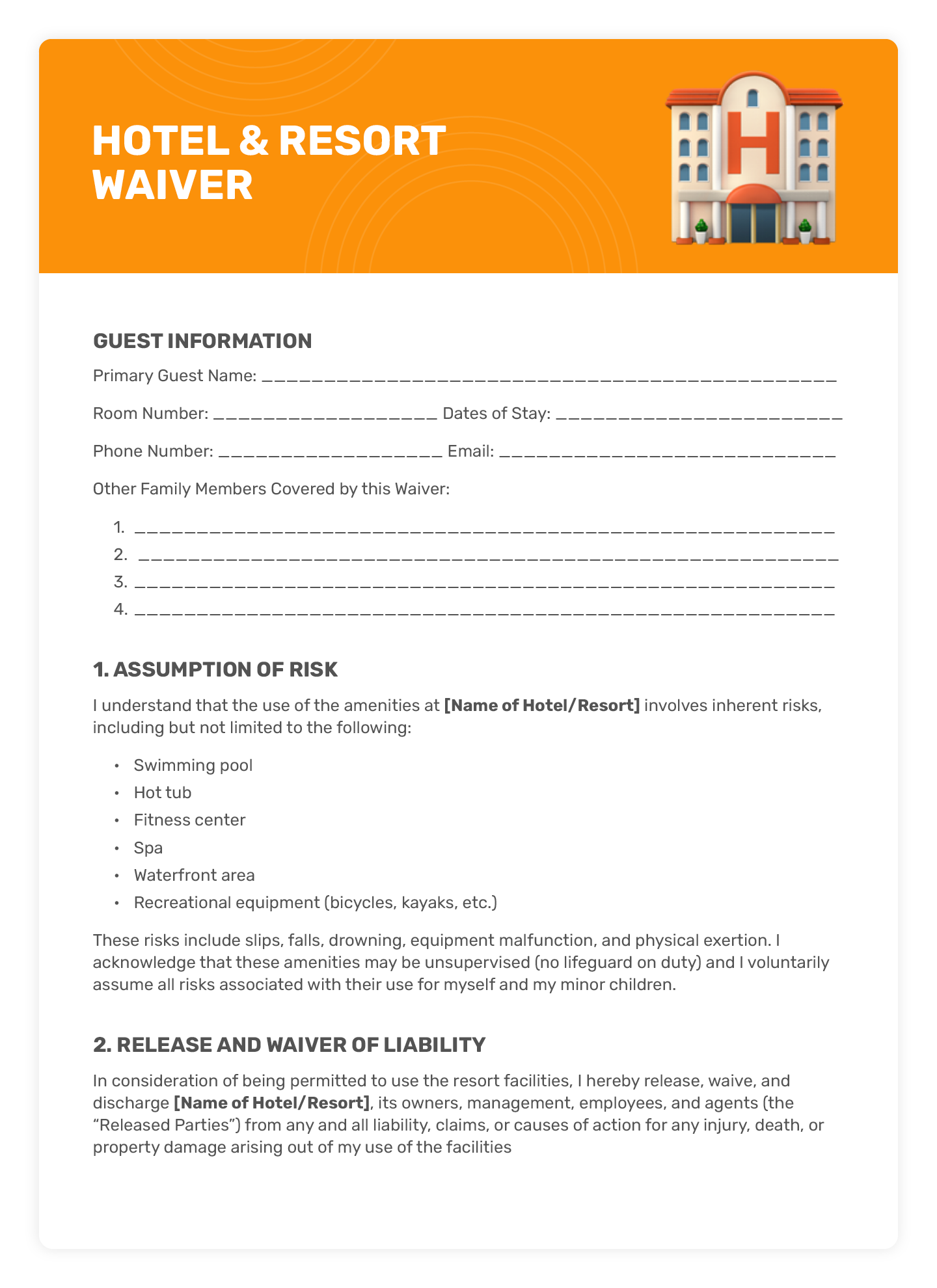
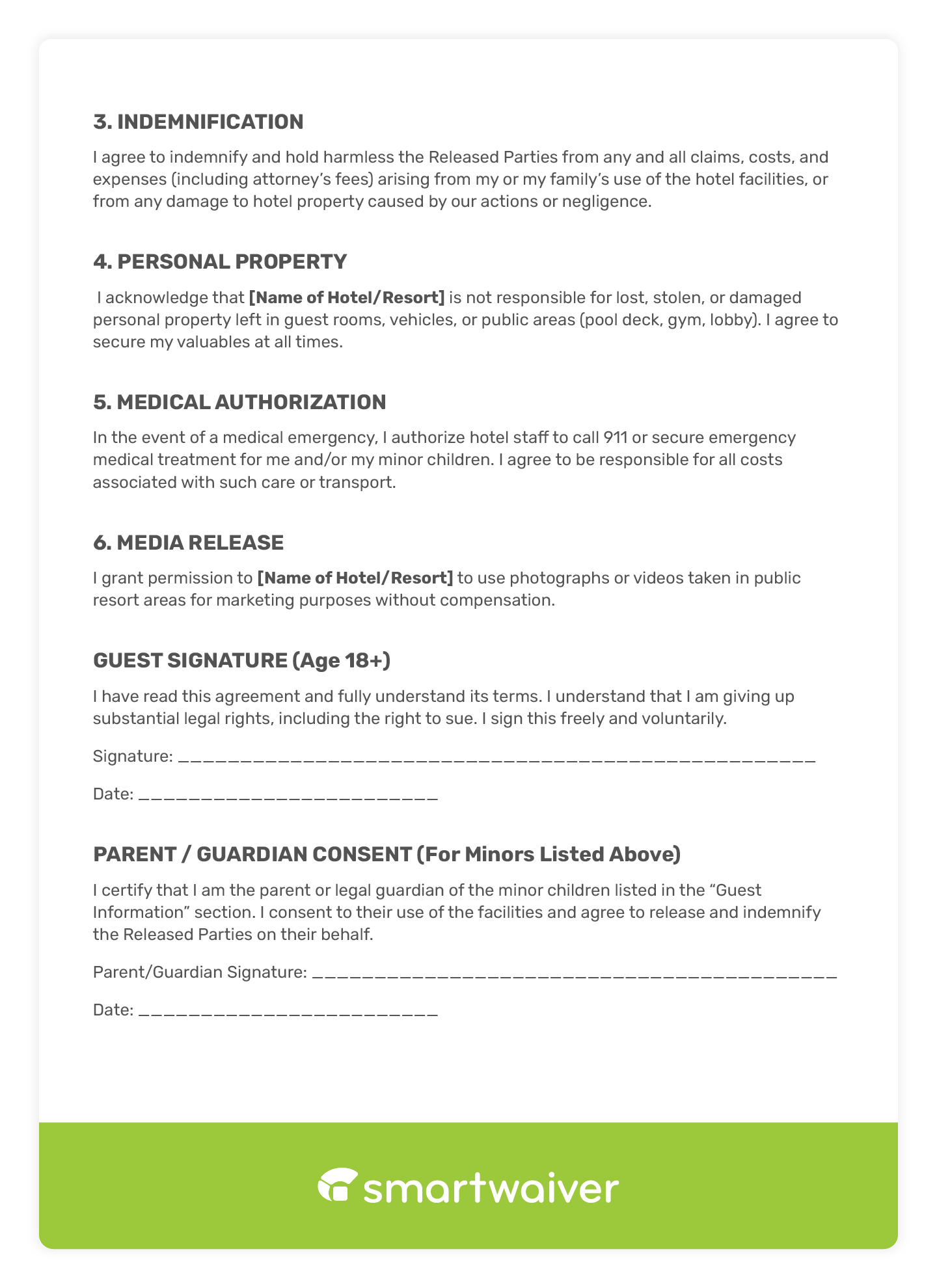
To help you visualize what these agreements should look like, here’s a quick checklist of essentials for most waivers (though this will vary depending on your specific industry and activities):
- A clear title: Clearly explain what the document is (e.g., “Waiver and Release of Liability”).
- Your organization's name: State the exact legal entity being protected from liability.
- Participant information: Collect personal information like the signer’s full name, address, phone number, email, and date of birth.
- Emergency contact info: Get the name, relationship, and phone number of who to call in an emergency.
- Description of the activity: Define what the participant will be doing (e.g., using gym equipment, renting a kayak, participating in a 5K).
- Assumption of inherent risks: This is an explicit acknowledgment that the activity has inherent dangers and confirms that the participant voluntarily accepts all of those risks.
- Release of liability clause: This is the core clause where the participant waives their right to sue your business for ordinary negligence.
- Indemnification clause: The participant agrees to cover legal costs or damages if your business is sued by a third party because of their actions.
- Medical consent/authorization: This gives your staff permission to call for emergency medical care, and clarifies that the participant is financially responsible for that care.
- Severability clause: If a judge throws out a specific part of the waiver, this ensures the rest of the document remains legally binding.
- Explicit acknowledgment: A final sentence right before the signature stating that the participant carefully read the document, understands it, and is signing it voluntarily.
- Signature and date lines: Spaces for the participant's signature and the current date.
- Parent/minor signature block (if applicable): A dedicated section for a parent or legal guardian to sign if the participant is under 18.
How can I choose between free and paid solutions?
It is easy to feel drawn to the cost savings of a free tool, but it's important to keep and the serious legal vulnerabilities it might leave your organization exposed to in mind.
To help you visualize how your current setup measures up, we’ve put together a quick quiz:
The Problem With Free Online Waiver Signing Software
It’s easy to see why so many businesses are intrigued by free waiver software. After all, these solutions:
- Help you save money
- Might not seem all that different from their paid counterparts
- Provide a way for you to test out digital waivers without significant investments of time or cash
While these are valid reasons for considering free waiver software, we have some thoughts about each of them:
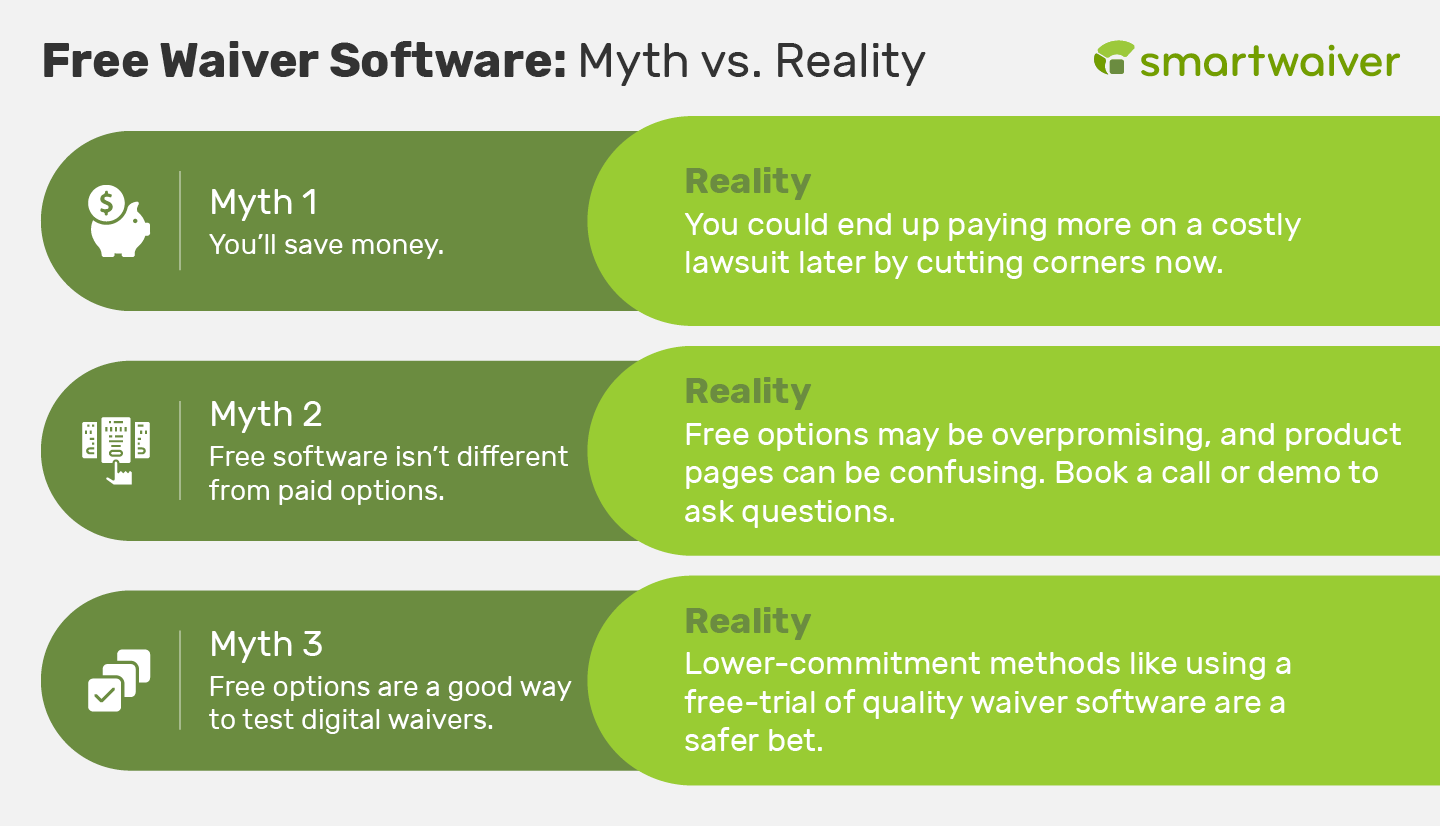
- You may not actually save money. Cutting corners when it comes to important tools like waiver software could lead to a costly lawsuit. After all, roughly 45% of small businesses are currently involved in some kind of litigation, and about 90% of all businesses will experience a lawsuit at some point. Investing in quality software could protect you from this, paying dividends in the long term.
- Free solutions could be overpromising—and underdelivering. It can be tricky to determine the key differences between free and paid solutions. We recommend booking a call or demo with potential providers to ask questions. These conversations are free and can help you uncover gaps between free and paid software.
- There are lower-commitment ways to try out digital waivers. For example, we offer free trials so you can test out Smartwaiver’s features for yourself.
With a few of these initial misconceptions out of the way, let’s cover some of the top concerns we have about free software:
What “Free” Really Means
You have likely heard the phrase, “Nothing in life is free.” This also holds true in the software world.
A free digital waiver tool always comes with hidden costs. Whether you end up paying for add-ons, getting hit with unexpected processing fees, or just waiting hours of administrative time wrestling with a clunky interface that doesn’t fit your needs, you will pay for it eventually. When it comes to digital waiver software, the stakes are even higher. If your waiver doesn’t hold up in court, you could be looking at tens of thousands of dollars in legal fees.
10 Reasons to Forgo Free Digital Waiver Options
Still leaning toward a free option? Before you make a decision, here are the top reasons why skimping on your liability waiver tool will cost you in the long run:
%20Free%20online%20waiver%20signing_reasons.png?width=938&height=909&name=(Refresh)%20Free%20online%20waiver%20signing_reasons.png)
- Weak legal protection. Generic form builders are great for simple surveys, but they often fail to meet the rigorous evidentiary standards required in a court of law. Free tools typically lack the ability to capture necessary backend data—like IP addresses and browser information—needed to legally verify an electronic signature.
- It’s vulnerable to security risks. Waivers collect highly sensitive Personally Identifiable Information (PII) and medical disclosures. On the other hand, free apps don’t have the financial incentive to maintain enterprise-grade security.
- No offline mode. Cloud-dependent free tools require a continuous internet connection. For organizations operating outdoor events, remote tours, or seasonal activities with unstable Wi-Fi, a brief service disruption can halt check-in operations entirely.
- Slow family check-ins. Generic forms from companies that don’t specialize in waivers process every submission uniformly, which creates bottlenecks when accommodating families. Requiring a parent or guardian to manually input their information multiple times for several children disrupts the customer experience and delays entry. A robust digital waiver solution solves this by using parent/guardian relationship designations, allowing a parent to quickly manage and give consent for multiple minors from a single form.
- Hidden paywalls. “Freemium” waiver apps often impose strict monthly submission limits to push you into a paid tier. Hitting this cap during a peak operational period could result in an immediate service freeze or a hard paywall. For growing businesses, you can’t gamble on encountering these operational risks and sudden costs.
- Zero technical support. Liability waivers are critical to your operations and legal protection. If a glitch happens during a weekend rush, free tools rarely offer accessible customer service or guaranteed response times.
- Unreliable storage. Depending on your jurisdiction, the statute of limitations for an injured minor may not begin until they become of age. This could mean that you must retain digital waivers for at least 10 years. Free platforms often purge inactive accounts, limit storage capacity, or overwrite historical data, which could seriously compromise your legal defense years down the road.
- No chargeback defense. Waivers also protect your physical assets and enforce cancellation policies. Generic free waiver forms often lack the functionality to mandate specific “initial here” checkpoints next to damage or equipment clauses. Without this, a standard form with a typed name may not provide enough evidence to fight a credit card chargeback, for instance.
- Manual workflows. Managing free, standalone forms requires staff to manually cross-reference signatures against external reservation systems or point-of-sale software. This is inefficient, labor-intensive, and prone to human error.
- It’s not scalable. As your organization expands, your legal and operational requirements will inevitably evolve. Implementing mandatory safety protocols, for example, might require software capable of embedding instructional videos and enforcing mandatory watch times before a signature can be applied. Free tools lack these advanced capabilities, holding you back from adapting to complex compliance requirements.
The Best Alternative to Free Online Waiver Solutions
Free waiver apps can be enticing, but they often do more harm than good—frustrating your customers and leaving your business vulnerable to security risks and glitches. At Smartwaiver, we provide a top-of-the-line, simple-to-use digital solution that helps you get much more than just a signature.
Just some of our top features include:
- Intuitive form builder for creating unlimited, customized waivers
- Multilingual form toggling across English, Spanish, French, and Simplified Chinese
- Dedicated Waiver Kiosk App for iOS and Android tablets
- Offline waiver collection with automatic database syncing upon reconnection
- Advance waiver sharing via SMS text and email links
- Custom QR code generation for quick lobby access
- Embeddable custom waiver widgets for your website
- Auto Photo Capture for enhanced participant identity verification
- Driver’s License Scanning to instantly pre-fill forms with barcode data
- Embedded mandatory training and safety videos directly within waivers
- Custom-flagged questions to trigger internal alerts for specific answers
- Centralized, secure cloud document storage via WaiverVault™
- AES 256-bit encryption for rigorous legal document security
- Two-Factor Authentication (2FA) account protection
- SOC 2 Type II compliance
- Automated customer data funneling to email platforms like Mailchimp or Constant Contact
- Single Sign-On (SSO) capabilities
- Dedicated U.S.-based customer support team focused exclusively on electronic liability waivers
Take it from our customer, Tumalo Creek Kayak and Canoe:
“We have relied on Smartwaiver for as long as I can remember. I have no idea how we managed without it. The power and flexibility the system offers without giving up elegant simplicity make the decision a no-brainer.”
How to Get Started With Digital Waivers
Switching to a digital solution doesn’t have to be complicated. Because every organization has different needs and circumstances, you’ll need to find the specific solution that fits your workflow. Whether you’re building a process from the ground up or upgrading an antiquated system, here are a few ways to jump in depending on where your organization currently stands.
If Your Organization is Starting From Scratch
If you haven’t launched your waiver process yet, it is important to execute it properly from day one to ensure you get the most legal protection possible.
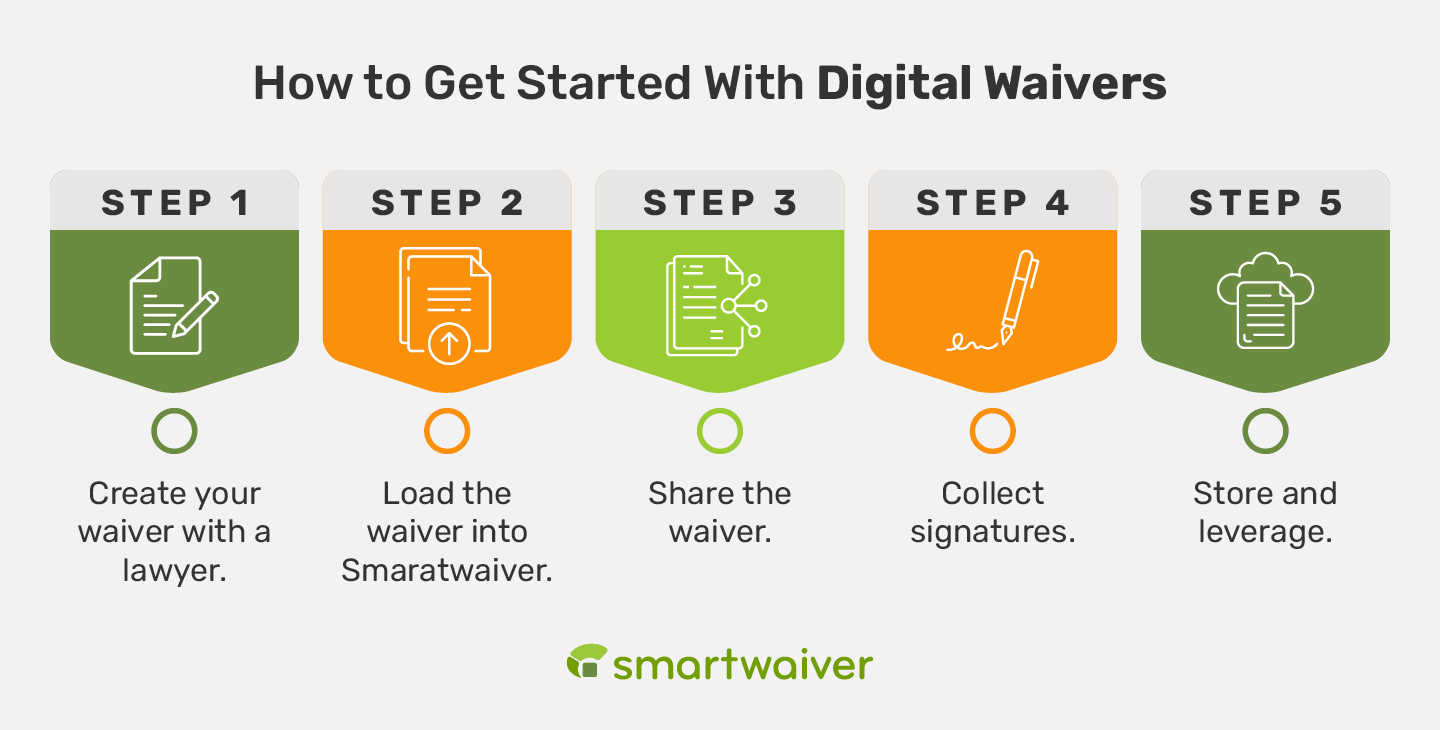
- Create your waiver with a lawyer. Work with a lawyer to guarantee your legal language is compliant and holds up against local regulations.
- Load the waiver into Smartwaiver. Convert your waiver into an online Smart Waiver in minutes! Customize the document with your branding and custom fields—we can even handle this setup for you.
- Share the waiver. Send out links via email, or embed the waiver directly on your website so guests can sign before they arrive.
- Collect signatures. Have participants sign in advance or on-site via a dedicated waiver kiosk app to keep lines moving smoothly.
- Store and leverage. Keep your documents locked down securely in a searchable, SOC 2 Type II-compliant database. Take advantage of the customer data you collect by funneling it directly into your marketing efforts.
If Your Organization Already Has a Waiver
You’re already done the hard part by drafting the legal document. Now, it’s time to digitize your paperwork and eliminate front-desk congestion.
- Load your waiver into Smartwaive. Pass your existing waiver over to our software, and we’ll seamlessly digitize it for you. It’s your waiver, only smarter!
- Repeat steps 3-5 listed above! Share, collect, and store.
If Your Organization Needs a Budget-Friendly Solution
While free options are certainly enticing upfront, relying on a waiver that won't actually hold up in court will cost you a whole lot more when an incident happens. The good news is that there is a simple alternative. Smartwaiver gives you enterprise-grade security, robust authentication, and premium features while offering flexible pricing.
- Claim your free trial. Prove the ROI and see the tools for yourself before paying a dime.
- Create and load your waiver. Build your custom document or let our software help you out!
- Repeat steps 3-5 listed above! Share, collect, and store.
Working on a limited budget? Here are some of our flexible pricing options:
- Leverage annual plan discounts. Pay for one year of Smartwaiver upfront to score a discount on your subscription.
- Seasonal options. If you run a seasonal business and won’t be collecting waivers for a while, take advantage of our storage plan during the off-season for just $7 per month!
- Single event options. Only need waivers for a single event? Get the features you need without being locked into a long-term commitment.
The Bottom Line? Read the Fine Print
Free online waiver signing software might seem amazing at first glance—but don’t be fooled. Free software still comes at a cost, and it likely won’t be a long-term solution for your organization.
Invest in a high-quality, secure online waiver signing tool like Smartwaiver from day one to avoid the hassle of switching systems and migrating data down the road. To explore all of our features and capabilities, start your free trial today!
Or, if you want to learn more about digital waiver software and waiver best practices, dig into these additional resources:
- How to Choose the Best Waiver Software for Your Organization. Interested in learning more about waiver software before you choose a solution? Check out these must-have features to look out for.
- How to Make a Waiver for Your Organization: 4 Key Steps. Learn about the four key steps you need to take to create effective waivers that fit your organization’s needs.
- Activity Waiver Basics and 5 Essential Best Practices. See if an activity waiver is the right fit for your organization and explore best practices before getting started.